
Info Worksheet
The info Worksheet
The info worksheet is reached from the Help section of the Launchpad ribbon tab.

The info worksheet provides information about the spreadsheet, the internal technology incorporated into the tool, and the associated Open Source licenses and acknowledgements required to reuse the Open Source components in a license-compliant manner.
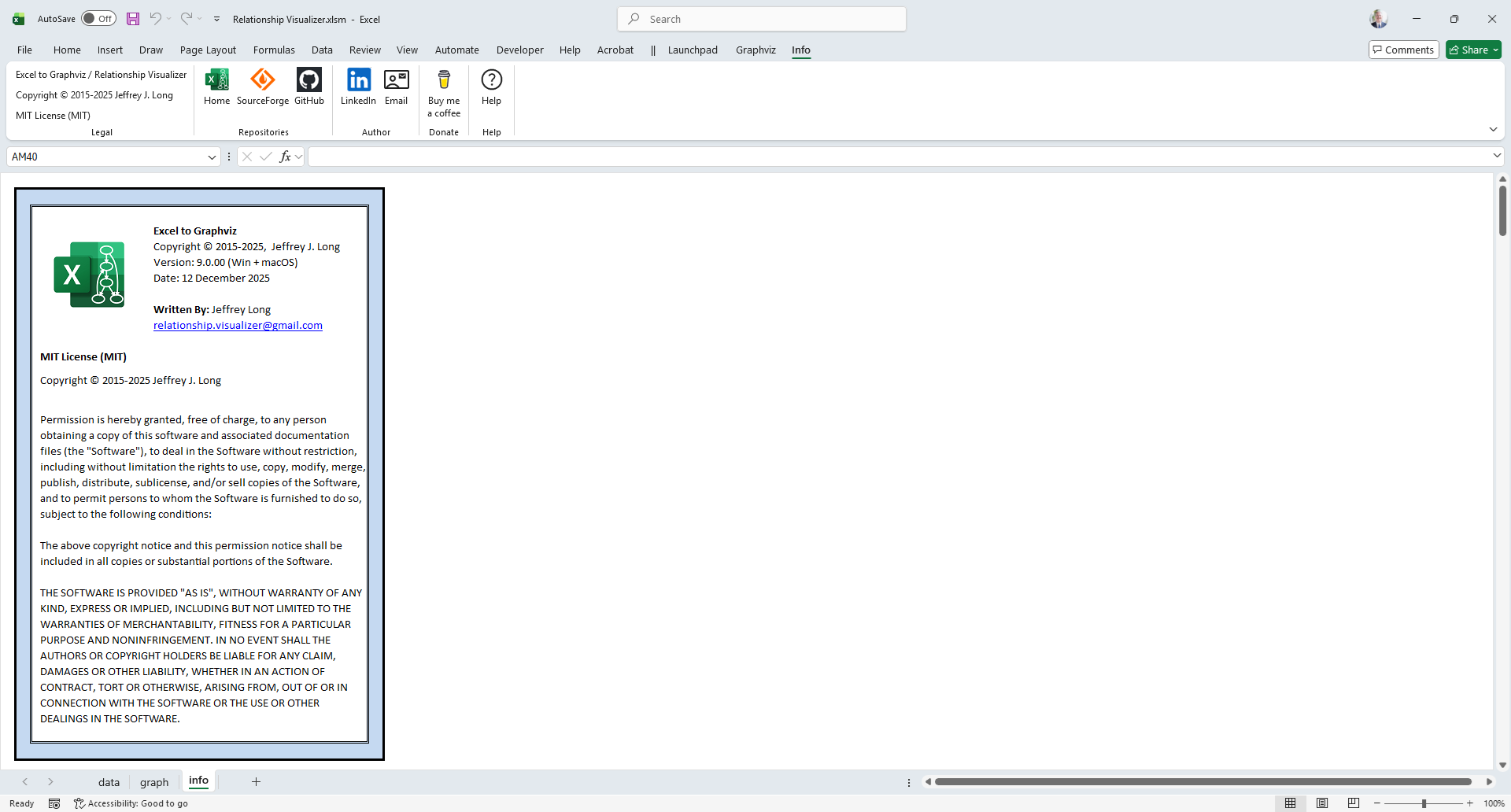
The Info Ribbon Tab
The Info ribbon tab is activated whenever the Info worksheet is activated. It appears as follows:
Windows

macOS

It contains the following groups, each of which is explained in the sections that follow. You may jump directly to any group using the links in this table:
| Group | Controls | Description |
|---|---|---|
| Legal |  | The Legal section provides a quick overall summary of the tool's name, copyright, and Open Source license. |
| Repositories |  | The Repositories section provides web links to the official web pages and repositories for the Relationship Visualizer tool. |
| Author |  | Contact information for reaching the author of this tool. |
| Donate |  | If you would like to show your appreciation for this free tool, you can buy the author a coffee through the Buy Me A Coffee website. |
| Help |  | Provides a link to the Help content for the Info worksheet (i.e. this web page). |
Legal
|
The Legal section provides a quick overall summary of the tool's name, copyright, and Open Source license.
Repositories
|
The Repositories section provides web links to the official web pages and repositories for the Relationship Visualizer tool.
Download Only from Official Sources
At this time, there are no author‑sanctioned clones of these repositories. However, unofficial copies have been found on the internet. If you obtained your copy of the Relationship Visualizer from anywhere other than the sites linked by these buttons, you may be using an out‑of‑date or potentially security‑compromised version.
| Label | Control Type | Description |
|---|---|---|
| Home | Button | Provides a link to the Excel To Graphviz documentation web site (i.e. this web site). |
| SourceForge | Button | Provides a link to the SourceForge repository where the Relationship Visualizer download files are managed. |
| GitHub | Button | Provides a link to the GitHub repository where the source pages for this website are maintained. The VBA source code from the Relationship Visualizer workbook is also exported and stored there. Although the workbook cannot be rebuilt from this source code, publishing it in a readable, text‑based format ensures full transparency and allows for inspection. |
Author
|
If you would like to learn more about the author of this tool and website you may visit his LinkedIn profile. You can also reach him by email.
| Label | Control Type | Description |
|---|---|---|
| Button | Provides a link to the author's LinkedIn profile. | |
| Button | Launches your email client and creates a draft email which you can send to the author. |
Donate
|
Relationship Visualizer is free software. However, it does cost the author personal money and time to provide this software for free.
If you would like to show your appreciation for this free tool, you can buy the author a coffee through the Buy Me A Coffee website.
FYI - 10 years, 10,000+ downloads, and a grand total of 2 coffees donated 😔
| Label | Control Type | Description |
|---|---|---|
| Donate | Button | Provides a link to the Buy Me A Coffee website where you can show your appreciation to the author for this free software and awesome web site. |
Help
|
Provides a link to the Help content for the Info worksheet (i.e. this web page).
| Label | Control Type | Description |
|---|---|---|
| Help | Button | Provides a link to this web page. |