
Labels
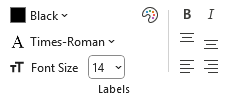
You can design styles which format label text using the following controls:
- Color
- Font
- Font size
- Bold
- Italic
- Label Location
 |
Label Fonts
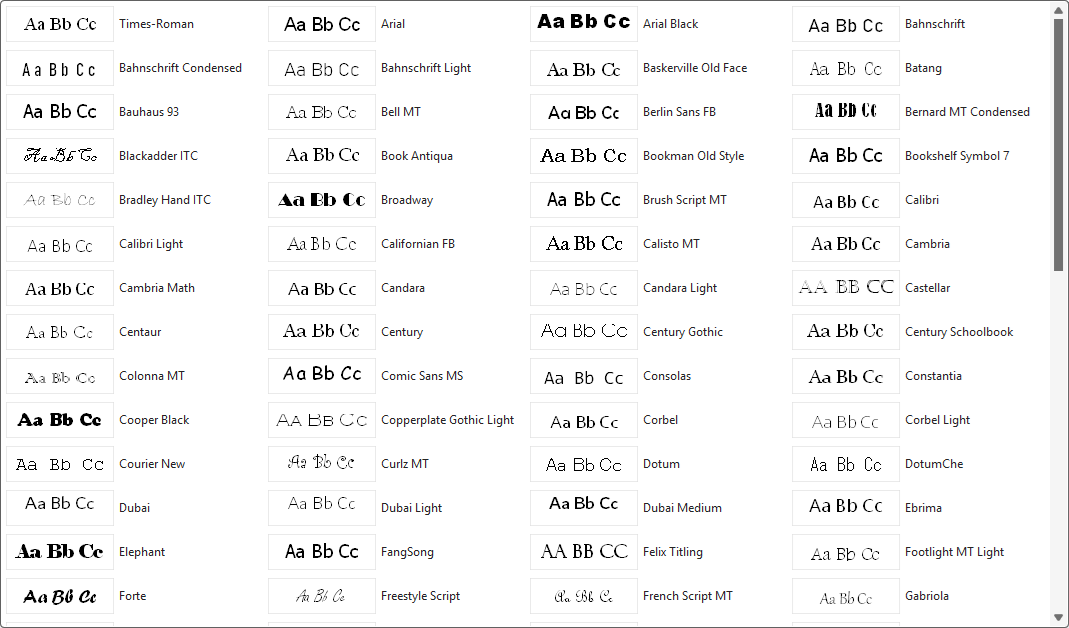
The Style Designer font drop‑downs present a gallery of fonts that Graphviz can render on your chosen operating system:
- Windows → The list is derived from the fonts installed on your PC, filtered to remove fonts known to be incompatible with Graphviz.
- macOS → A static list of fonts is provided from the lists worksheet.
When the Font Name drop‑down is selected for the first time, Graphviz generates a preview image of the letters Aa Bb Cc for each font.
These preview images are cached for future use. You may notice a slight delay the first time as the cache is built, but subsequent displays occur quickly.
An example Font Name gallery on Windows 11 appears as follows:
Selecting a Font
The currently selected font name is highlighted in the gallery.
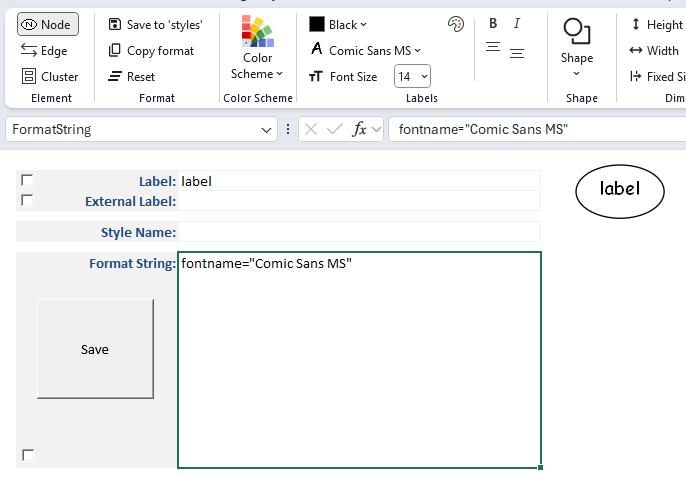
When you choose a font (e.g., Comic Sans MS):
- The Font Name caption on the drop‑down changes to the selected font.
- An icon of the letter A in the font appears in the ribbon to the left of the Font Name.
- The font name is added as an attribute in the Format String.
- A new preview image is generated, showing the associated labels rendered in the chosen font.
For example:
Label Location
Text can be aligned relative to the borders of a shape or cluster. Alignment is available as follows via the alignment buttons:
 |
| Position | Node | Cluster |
|---|---|---|
| Top | ✅ | ✅ |
| Center | ✅ | ✅ |
| Bottom | ✅ | ✅ |
| Left | ✅ | |
| Middle | ✅ | |
| Right | ✅ |