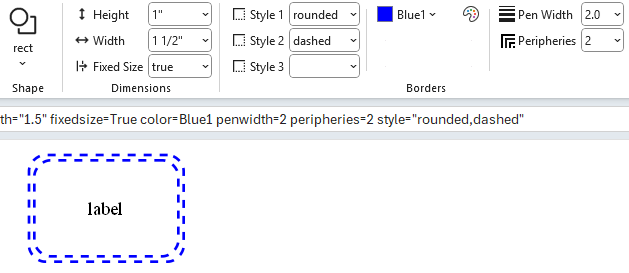
Borders
Border Styles
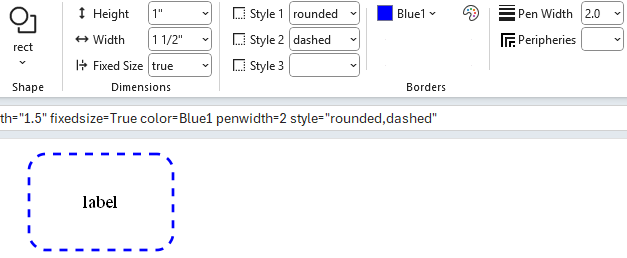
Up to 3 border styles are selectable and are additive, making it possible to have styles such as bold edge and rounded corners. When you click on any of the Border Style drop‑down lists you will be presented with the list of choices along with a sample image of the style.

In this example Style 1 is set to rounded to give the rectangle rounded corners.
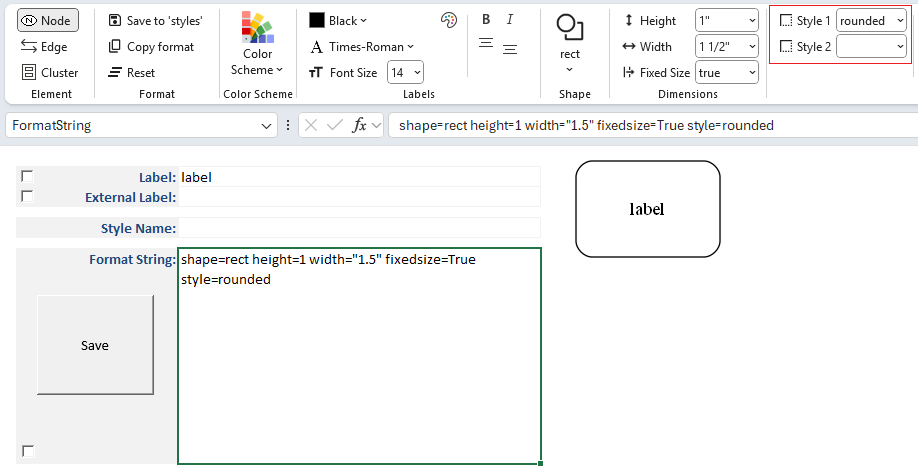
The Style Designer provides an adaptive interface for applying multiple border styles.
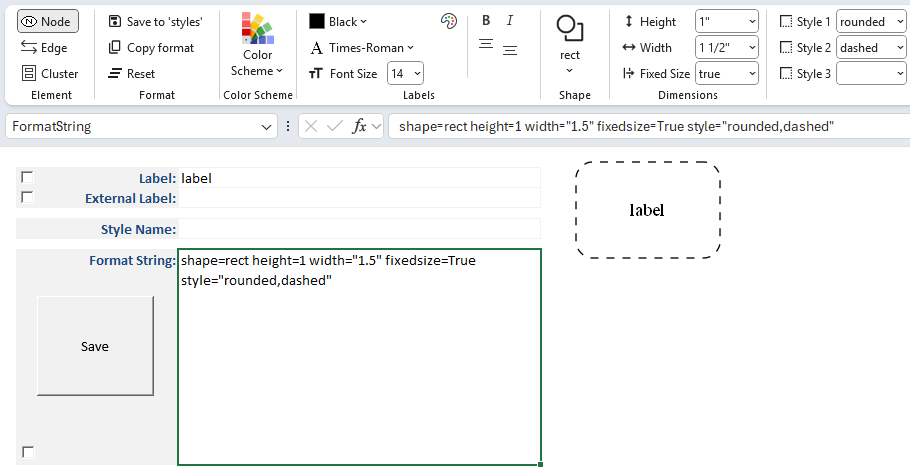
As you make selections, additional style options appear dynamically:
- Once a style is chosen, the Style 2 drop‑down becomes available.
- Selecting
dashedas the second choice results in a rounded, dashed border. - A Style 3 drop‑down then appears, allowing you to continue layering styles.
This adaptive behavior makes it easy to combine multiple visual effects without cluttering the interface.
Border Color
How to choose colors has already been explained.
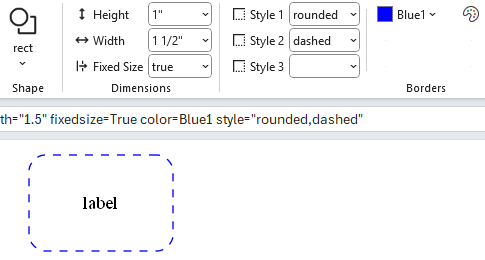
The Border Color controls allow you to specify the color of a node shape or cluster border.
For example:
Border Pen Width
The penwidth attribute controls the thickness of lines used to draw node borders and edges.
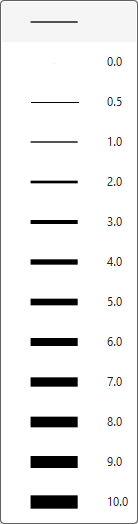
penwidth=1.0 (default)
- Standard line thickness.
- Borders and edges are drawn with a single‑pixel width.
penwidth>1.0
- Increases line thickness proportionally.
- For example,
penwidth=2.0doubles the thickness, whilepenwidth=3.0triples it. - Useful for emphasizing certain nodes or edges in a diagram.
penwidth<1.0
- Decreases line thickness.
- For example,
penwidth=0.5produces a thinner line than the default. - Can be used for subtle or secondary connections.
For example:
Border Peripheries
The peripheries attribute controls how many borders (or outlines) are drawn around a node shape.

peripheries=1 (default)
- A single border is drawn around the shape.
peripheries=2
- Two concentric borders are drawn, giving the node a “double‑outlined” appearance.
peripheries=n
- Any positive integer value
ndraws that many concentric borders. - Useful for visually emphasizing certain nodes or distinguishing categories.
- Any positive integer value
For example: