
A Tour of the Redesigned Ribbon
Version 11.0 adds new Data and Settings tabs, and a streamlined Graphviz tab. Here's a quick guided tour of what moved where.
 jjlong150
Version 11.0 adds new Data and Settings tabs, and a streamlined Graphviz tab. Here's a quick guided tour of what moved where.
jjlong150Adding Knowledge Graph publishing meant the old Graphviz tab simply ran out of room. Rather than cram one more group onto an already-crowded tab, I used the opportunity to reorganize the ribbon around how people actually use it: one tab for visibility settings, one tab for generating and publishing output, and a Graphviz tab scoped down to genuine Graphviz-only options. If you upgrade and can't immediately find a button you used to know by heart, this is your map.
A brand-new Settings tab gives you one central place to show or hide individual worksheets and ribbon tabs, with dedicated groups for Command/Graph Options, Data, Console, Exchange, Extensions, Help URLs, Launchpad, Source, SQL (Windows only), Styles, and SVG.
I redesigned the Settings worksheet to match: the old faux tabbed-folder styling is gone in favor of a simple black-and-white scheme, and each group of rows shows or hides based on which button you press on the ribbon.
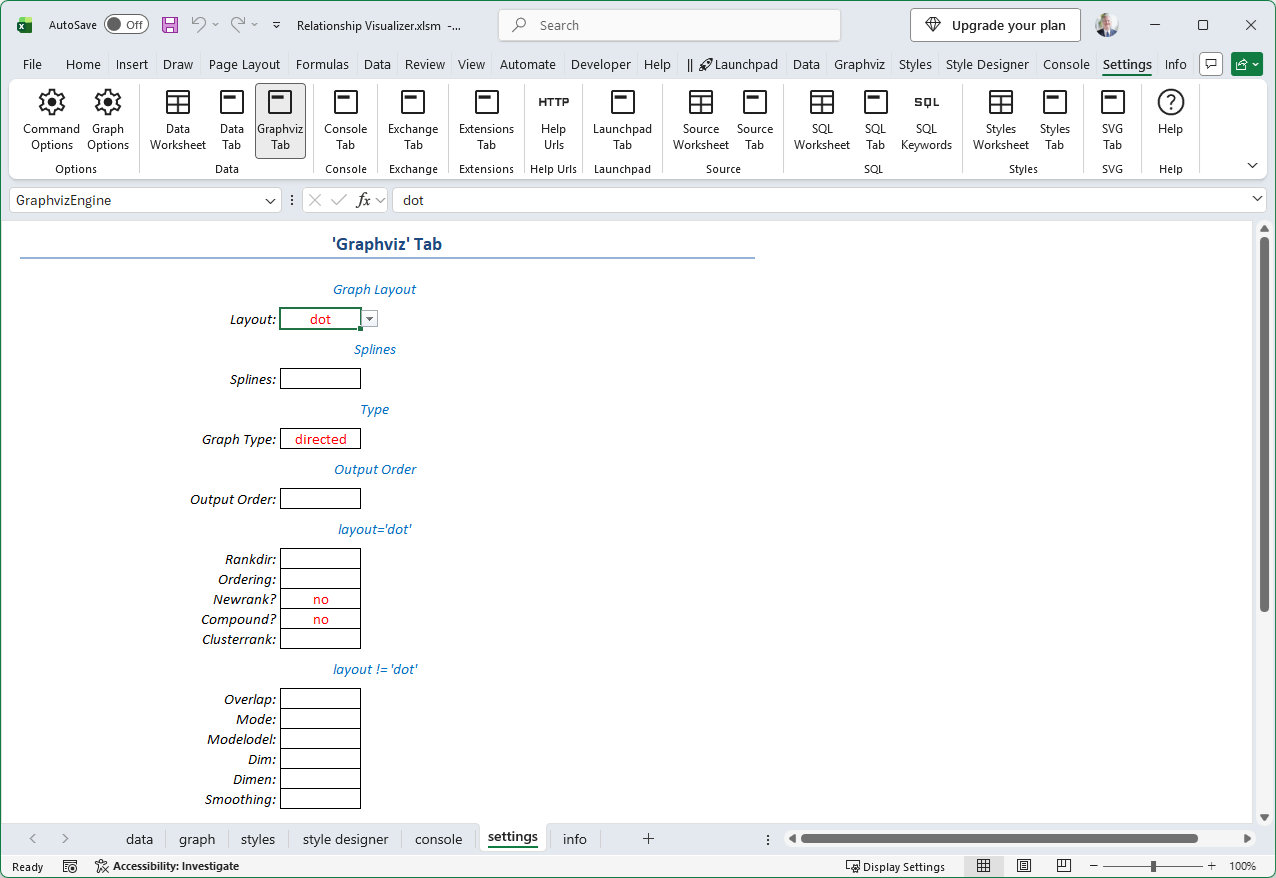
The old, single Graphviz tab is now two tabs. The new Data tab owns everything related to generating and publishing output:
 |
With generation and publishing moved out, the Graphviz tab is now scoped to genuine Graphviz-only options — layout engine, splines, direction, output order, and per-layout settings.
 |
Splines controls (Compound, Line, Spline) are back as live, selectable buttons after being disabled for a while due to space constraints, and a new Depth option joins the existing Breadth option for output order.
If you're focused purely on Knowledge Graphs, a new toggle on the Launchpad tab lets you hide the Graphviz tab entirely.
Cluster style names, written onto a cluster's opening and closing brace rows, can now be built from a configurable Naming Pattern instead of a fixed suffix. The old Suffix (Begin)/Suffix (End) fields are renamed Affix fields, and a new Naming Pattern field controls where that value is inserted, using {name} and {affix} placeholders. The default is {name} {affix}, but you can just as easily make the affix a prefix instead.
 |
That's the tour. See the full changelog for the complete list of ribbon changes, including the SVG tab's new on/off controls.